
← Retour au
Dashboard
📅 Ajouter le planning à Outlook (Web)
Suivez ces étapes pour synchroniser le planning SmartEVLab avec votre calendrier Outlook.
Lien à copier :
http://dashboard.smartevlab.fr/planning.ics
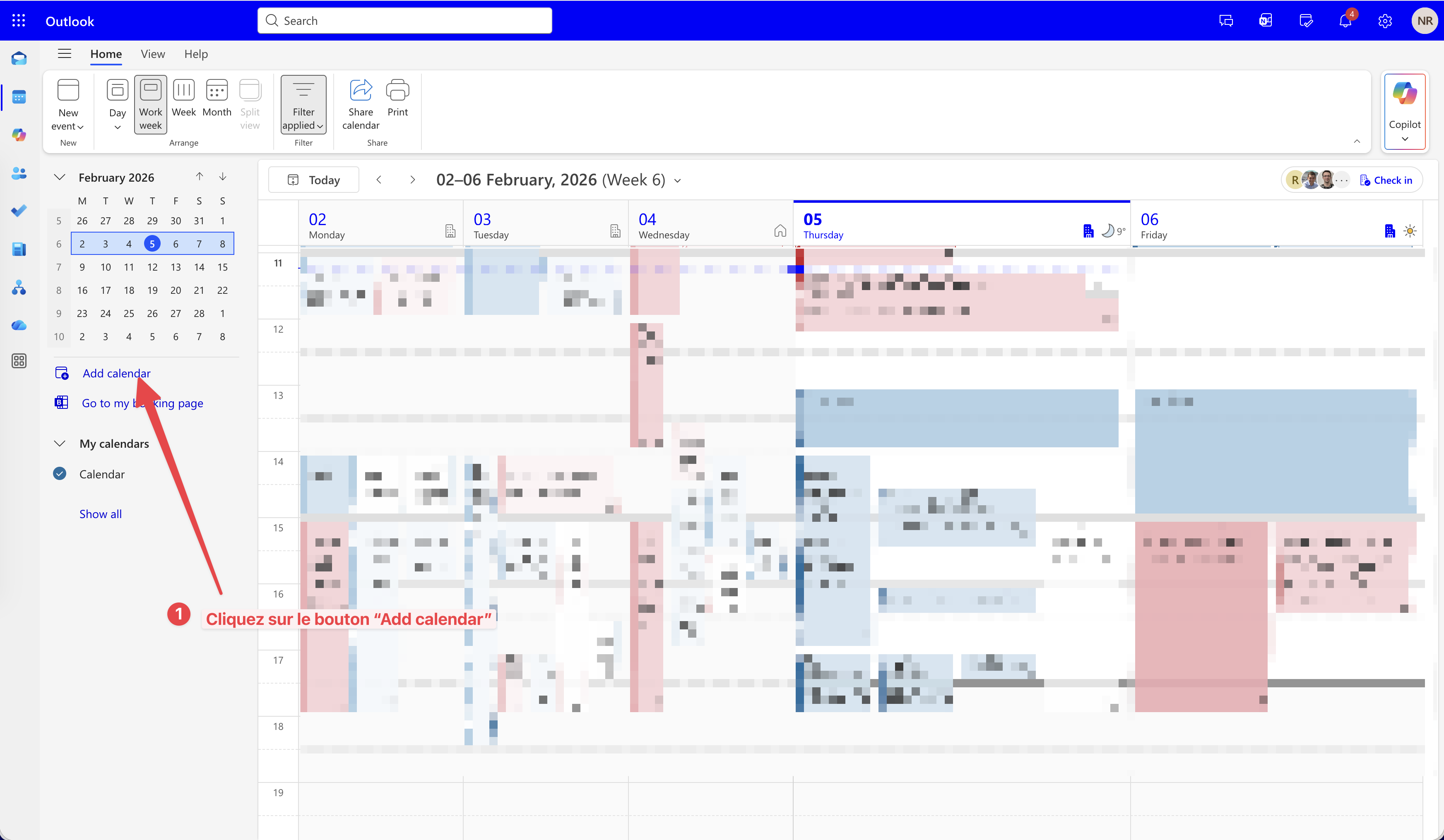
Étape 1 : Ajouter un calendrier
Dans Outlook, cliquez sur "Add calendar" (Ajouter un calendrier) dans la barre latérale.
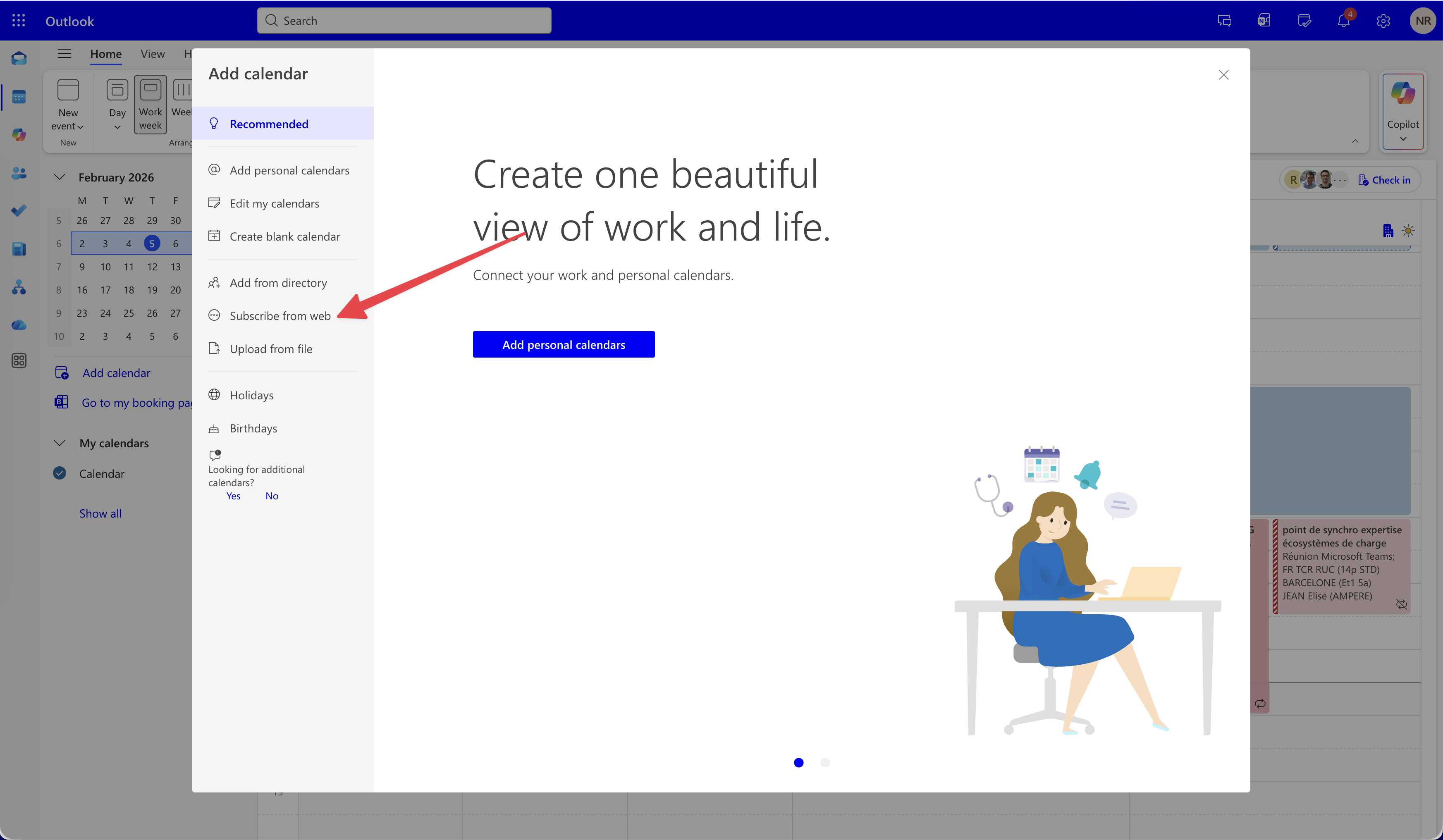
Étape 2 : S'abonner depuis le web
Sélectionnez l'option "Subscribe from web" (S'abonner depuis le web).
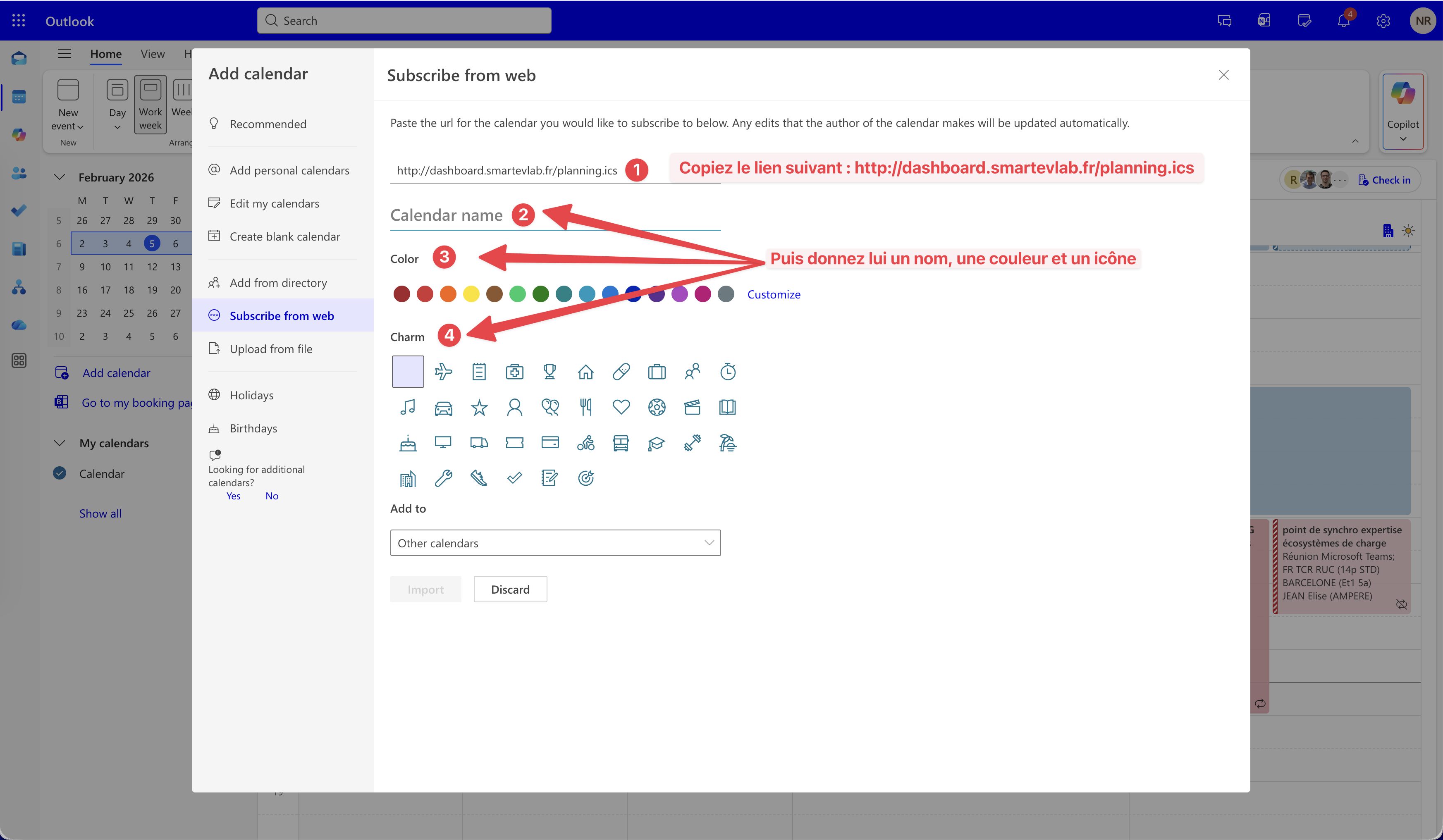
Étape 3 : Configurer
Collez l'URL (http://dashboard.smartevlab.fr/planning.ics).
Donnez un nom (ex: SmartEVLab), choisissez une couleur et une icône.
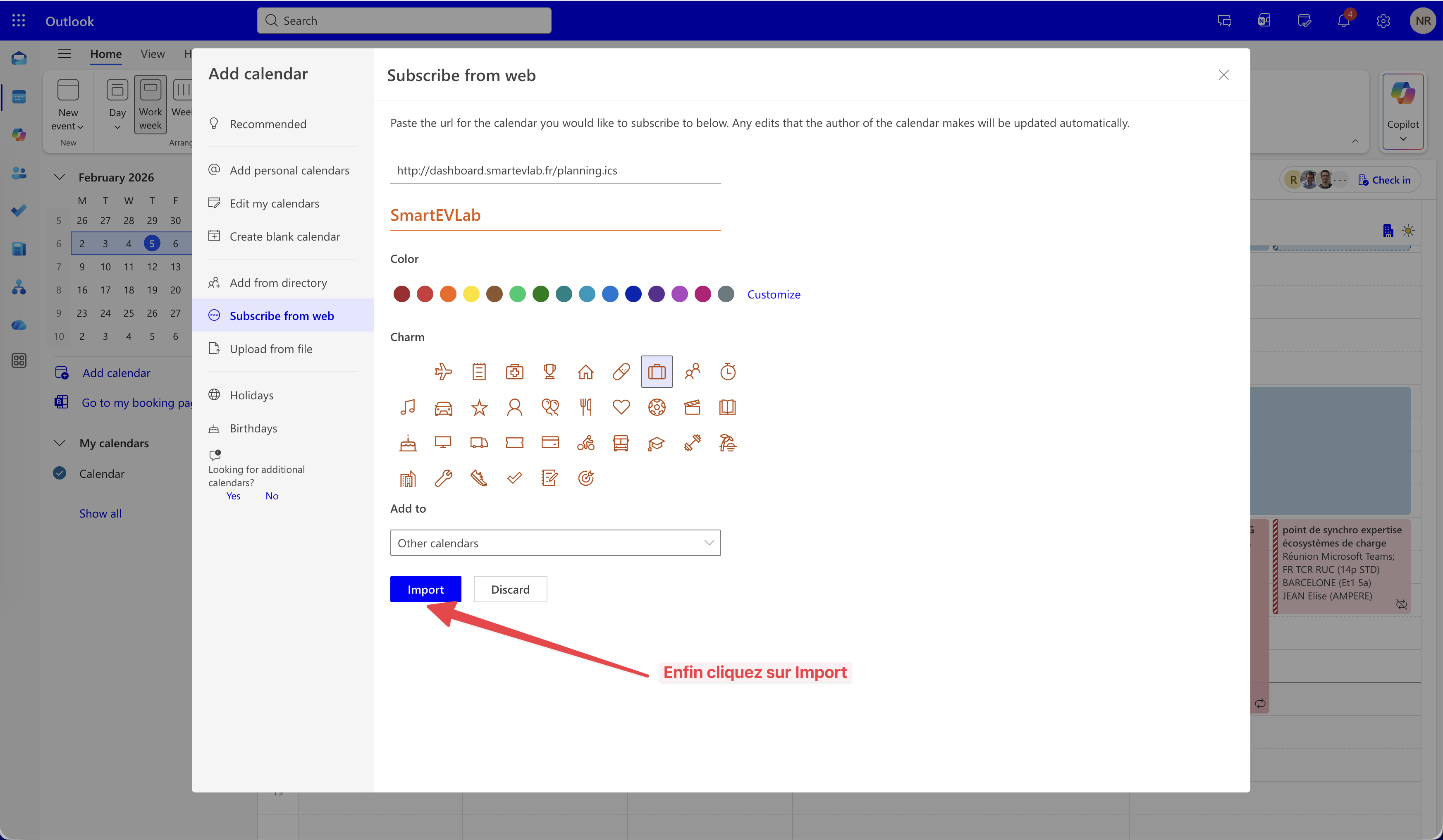
Étape 4 : Confirmer
Cliquez sur Import pour finaliser.
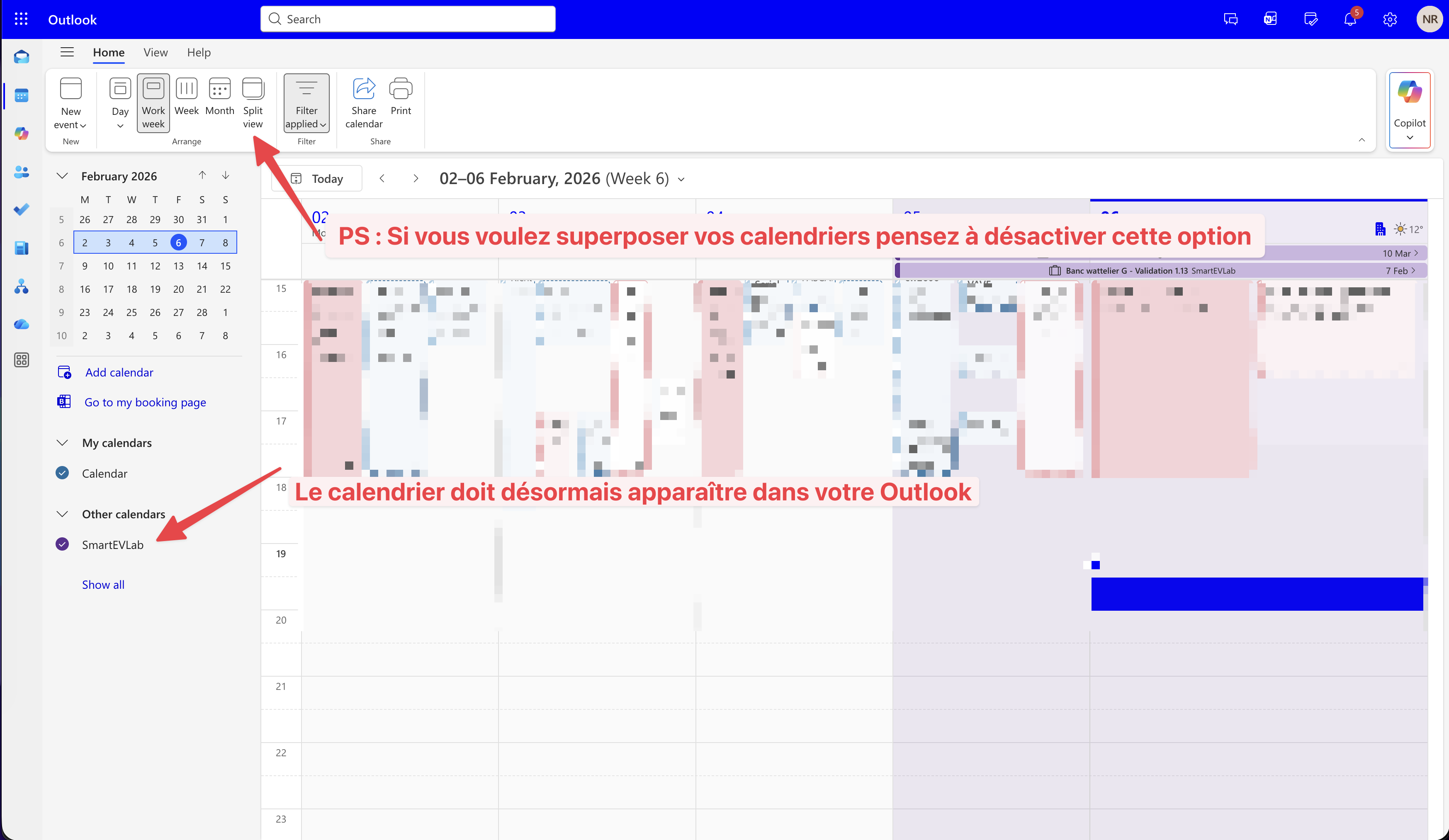
Résultat
Le planning apparaît maintenant dans votre calendrier !